![]() |
| AsusFlashTool |
You must have: .RAW firmware (still don't know how to create .raw firmware :) )
- Open the ASUS Flash Tool, AFT will automatically detect mobile devices (if not automatically detect, please re-plug the USB cable)
- Step 2: 1), automatically detect the serial number (for example: DCATCY141082), State representatives connection status bar turns blue. Not connected display. Detected inconsistent with the actual SN possible, but does not affect the refresh firmware.
- flash process, the phone will appear black, is a normal, over a period of time will automatically display
- Success, Asus Flash Tool will show below, the system will automatically reboot into the phone.
Note: Sometimes brushing, the phone is turned off black state, press the power button to boot to see whether the boot.
entire process takes about 6.5 minutesThanks to http://bbs.cn314.com/thread-265420-1-1.html
2), manually select the correct model, there is no drop-down menu, and on behalf of AFT is not supported; model forget if elected, you will be prompted
3), select whether empty user data, Yes on behalf empty, No representative of any default No, please choose according to the actual situation.
4), click on the box icon, select the path to the firmware raw file.
5), click again, you need to update the machine, serial number, and blue State status bar.
6), the start point Start icon to start the firmware update.
DWYOR, not tested by me
Link from asus
Zenfone 5 :
http://dlcdnet.asus.com/pub/ASUS/ZenFone/A500CG/UnLock_A500CG_a500cg_platform_rel.zip
Zenfone 6 :
http://dlcdnet.asus.com/pub/ASUS/ZenFone/A600CG/UnLock_A600CG_a600cg_platform_rel.zip
Unlock Device App: Unlock boot loader
Notice:
1. Update your software image to V1.17.40.1X or latest version
2. Before you download, install, and use the Unlock Device App you acknowledge and assume complete risk to the quality and performance of this App, including but not limited to the following: once you activate the App you will not be able to recover your ASUS product (�Original Product�) back to original locked conditions;the Original Product with the activated App will not be deemed the Original Product; the Revised Product will no longer be covered under the warranty of the Original Product; the software of Revised Product will no longer be deemed the software of the Original Product and can no longer receive ASUS software updates; your purchased digital content may also be affected.
You also acknowledge ASUS does not guarantee service satisfaction to any Revised Product, including events involving paid service requested by you to be performed to the Revised Product.
Furthermore, such repaired Revised Product will not be covered under the warranty of the Original Product; the software of the repaired Revised Product will not be deemed the software of the Original Product and will not receive ASUS software updates.
It is strongly advised that you avoid activating this App unless you fully understand and accept the risks that may arise.
Ricky Febrian
Agustus 28, 2014
New Google SEO
Bandung, IndonesiaNotice:
1. Update your software image to V1.17.40.1X or latest version
2. Before you download, install, and use the Unlock Device App you acknowledge and assume complete risk to the quality and performance of this App, including but not limited to the following: once you activate the App you will not be able to recover your ASUS product (�Original Product�) back to original locked conditions;the Original Product with the activated App will not be deemed the Original Product; the Revised Product will no longer be covered under the warranty of the Original Product; the software of Revised Product will no longer be deemed the software of the Original Product and can no longer receive ASUS software updates; your purchased digital content may also be affected.
You also acknowledge ASUS does not guarantee service satisfaction to any Revised Product, including events involving paid service requested by you to be performed to the Revised Product.
Furthermore, such repaired Revised Product will not be covered under the warranty of the Original Product; the software of the repaired Revised Product will not be deemed the software of the Original Product and will not receive ASUS software updates.
It is strongly advised that you avoid activating this App unless you fully understand and accept the risks that may arise.
Method 1
- Root your Zenfone 5 /Zenfone 6
- Download WW V1.14.40.50 Firmware (Zenfone 5 Download) (Zenfone 6 Download)
- ADB (Download)
- Extract WW Firmware to ADB folder
- Go into recovery Volume up + Power to get into recovery modes, then volume down + volume up, hold volume up for 3 seconds. and then you will see ADB sideload. Press on that and get ready to go.
- ON ADB Folder Hold Shift+Right Click and "Open command window here"
- Type "Adb sideload (drop the file into the terminal, don't write this!)" and then press enter, make sure there is a space between sideload and your file name.
- Let it install, it will install and then give you an error after saying "cannot load volume /misc!" ignore it, wipe cache and reset.
Tools and Resources:
- Intel USB Driver for Android ( Download Here )
- ADB Fastboot Tool (Download Here)
- Fastboot.img (Download Here)
- Platform tools (Download Here)
- Zenfone 5 Firmware Version V1.16.40.7(WW) (Download Here)
- Zenfone 5 Firmware WW (Latest)
- Extract ADB tools and other resource to one folder
- Reboot your zenfone to Fastboot mode (Power + Volume up)
- Connect Your Zenfone to PC /Laptop
- Open CMD then go to ADB and resource directory
- Then type: fastboot flash fastboot fastboot.img
- Reboot then Go to recovery and select update from adb
- Open CMD then go to ADB and resource directory
- Then Type: adb sideload UL-ASUS_T00F-WW-1.14.40.16-user.zip
- (UL-ASUS_T00F-WW-1.14.40.16-user.zip is the name of firmware you downloaded earlier you can change it to update.zip or anything)
- Go to recovery again and select update from adb
- Open CMD then go to ADB and resource directory
- Then Type: adb sideload xxx.zip (xxx=the name of latest firmware)
- After complete do double wipe (Tutorial Here)
========================================================================
Based on my observation from ebay
Zenfone 5
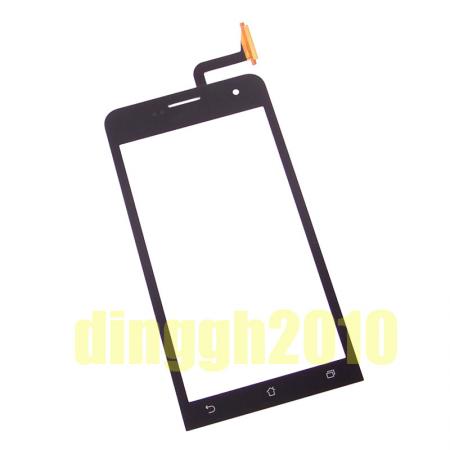
- Digitizer/Touchscreen Price : 25$ - 28$
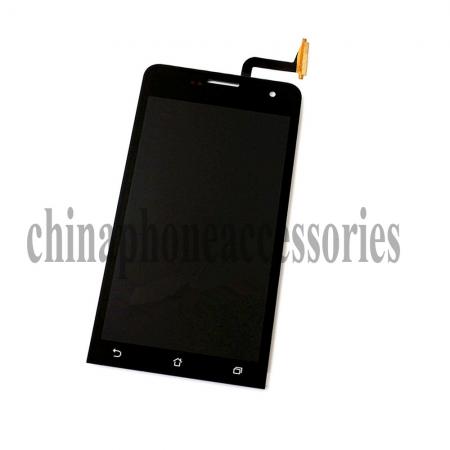
- LCD + Digitizer Price: 59$-60$
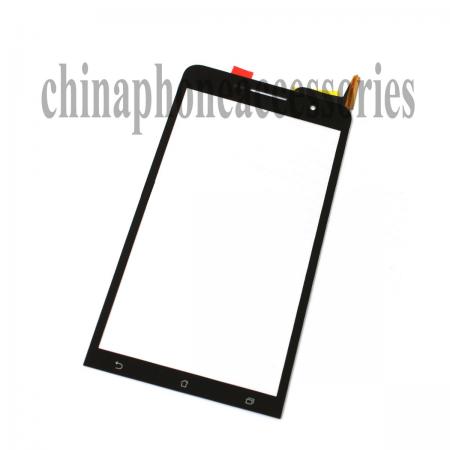
- Digitizer/Touchscreen Price: 29$
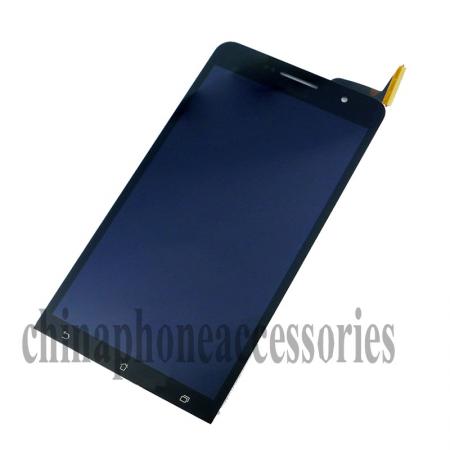
- LCD+Digitizer price: 74$-130$
- Digitizer/Touchscreen price: 44$-45$
Ricky Febrian Agustus 07, 2014 New Google SEO Bandung, Indonesia
suddenly had small sound while playing games Ricky Febrian Juni 15, 2014 New Google SEO Bandung, Indonesia
Solution:
- Reboot Your zenfone 6, or Factory Reset
- Re-flash with new ROM
- Send it to Asus Repair Center
taken from baidu forum : http://tieba.baidu.com/p/3092476964
His zenfone had this problem and Asus doesn't give warranty to him.
suddenly broken. didn't fall, I do not know Asus does not give me a guarantee
Ricky Febrian Juni 08, 2014 New Google SEO Bandung, Indonesia
Ricky Febrian Juni 07, 2014 New Google SEO Bandung, Indonesia
Ricky Febrian Juni 02, 2014 New Google SEO Bandung, Indonesia
This situation is almost once a day, when the video freezes, a beep beep sounds, just like the feeling of the card machine (I was so describe). I do not know what the specific reason is the system? Software? Or hardware caused? Requirements analysis, ah, how to solve?
Today, the camera only to find out there are several red lines photo
Download other camera is the same program
Source Ricky Febrian Mei 27, 2014 New Google SEO Bandung, Indonesia
Have problem ? Rooting Failed and demo offline mode notifications appear?
This is the solution :
1. Press power button to play demo video then tap the screen
2.Hold back key for more than 10 seconds
3.Until is shows a page to key in password 741603
4. Wait until factory reset complete
Video Details:
Ricky Febrian
Mei 19, 2014
New Google SEO
Bandung, Indonesia
This is the solution :
1. Press power button to play demo video then tap the screen
2.Hold back key for more than 10 seconds
3.Until is shows a page to key in password 741603
4. Wait until factory reset complete
Video Details:
I have already spent more than twenty days, the fast and easy option above has been no return, and can only repair
Ricky Febrian Mei 18, 2014 New Google SEO Bandung, Indonesia
Taken from http://www.mobile01.com/topicdetail.php?f=588&t=3908098&r=2&last=50164824
just got zenfone 6 yesterday run very smoothly.
but today found a problem, suddenly shut down. when pressing the power button can not wake up and the indicator on the front panel always flashes green lights
already happened twice today.
we would like to ask some people have the same situation ?
here is the Video :
Asus Zenfone 5 crash after update, He said:
I finished an update, the phone has appeared crash dead white, that picture above, only can force the shutdown, which is what happens, please inform me how to deal with.
Judging from the front, a good sense of color Zenfone6 quite ready, but tried viewing angle. Mainly for the left to see a bluish, yellowish look to the right. If you are looking diagonally left or right along the diagonal of view, cast quite powerful.
This situation has affected the usual cast using the phone in the evening after lying in bed using a mobile phone when the phone is generally in the upper chest, look at the screen from the bottom up like sight, this time as long as the screen left or right a little biased, can obviously felt the screen cast.
Here are the pics (Zenfone 6 and Asus Padfone Infinity)
What do you think This is normal or not?
going off to play when accidentally hit the door, the phone fell to the ground, pick it up to have a look, the screen broken.
Ricky Febrian Mei 01, 2014 New Google SEO Bandung, Indonesia